GIMP 3.2 · status on October 31, 2026
PhotoGIMP on GIMP 3.2: the toolbox problem and the fix
PhotoGIMP 3.1 was made for GIMP 3.0. On GIMP 3.2.6 most of it works, but GIMP rejects its toolbox file and quietly puts the tools back in GIMP’s own order. The cause is one renamed tool. Here is what we saw on three systems, and how to fix it.
On this page 8 sections
Short answer
Does PhotoGIMP work with GIMP 3.2?
Yes, after one small fix. With PhotoGIMP 3.1 pasted into GIMP 3.2.6’s 3.2 folder, the shortcuts, dock layout, splash and preferences work. The Photoshop-style toolbox does not, because GIMP 3.2 renamed the Paths tool from gimp-vector-tool to gimp-path-tool. Rename it in three files before you start GIMP, or use the repair commands below. If GIMP 3.2 has never been started yet, there is an easier way: put the zip’s 3.0 folder in GIMP’s settings folder first, and GIMP 3.2 migrates it and applies the rename itself (tested on all four systems).
| Setup (GIMP 3.2.6) | Shortcuts | Layout | Toolbox order | Tested on |
|---|---|---|---|---|
| 3.1 pasted into 3.2 (the README way) | works | works | GIMP default | Windows 11, Windows Server 2025, macOS 15, Linux |
| 3.1 + the fix on this page | works | works | Photoshop order | Windows 11, Windows Server 2025, macOS 15, Linux |
| 3.1’s 3.0 folder in place before GIMP 3.2’s first start | works | works | Photoshop order | Windows 11, Windows Server 2025, macOS 15, Linux |
| master fc61a8f (not released) | works | works | close to GIMP’s own order | Windows 11, Windows Server 2025, macOS 15, Linux |
| 3.1 copied as a 3.0 folder next to an existing 3.2 | no | no | no | all four: once a 3.2 folder exists, GIMP 3.2 ignores 3.0 |
| Chocolatey package (3.0.0) on a GIMP that was already started | no | no | no | Windows 11, Windows Server 2025: it installs into 3.0 |
What happens when you install 3.1 on GIMP 3.2
We copied the contents of the 3.1 zip’s 3.0 folder into GIMP 3.2.6’s 3.2 folder, exactly as the PhotoGIMP README says, and started GIMP with its console output visible. On Linux and macOS GIMP printed the same three messages. (GIMP on Windows has no console window, but the result there was identical: see the next section.)
GIMP-Warning: Error while parsing '~/.config/GIMP/3.2/toolrc' in line 183: missing tools in toolrc file
INFO: not existing action 'tools-vector' was ignored from the shortcutsrc file.
Gimp-Widgets-WARNING: gimp_dialog_factory_dialog_new_internal: no entry registered for "gimp-vectors-list"
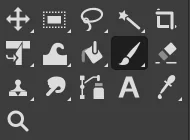
Each one points at the same rename. GIMP 3.2 calls the Paths tool gimp-path-tool, its shortcut action tools-path and its dock gimp-path-list. PhotoGIMP 3.1 still uses the GIMP 3.0 names:
- toolrc lists
gimp-vector-tool. GIMP 3.2 does not know that tool, decides the whole file is incomplete (“missing tools”) and throws it away. You get GIMP’s default tool order instead of Photoshop’s. - shortcutsrc has
(action "tools-vector"), a line that removes the Paths tool’s key. GIMP 3.2 ignores it, so Paths keeps GIMP’s default key, B, which PhotoGIMP also gives to the Paintbrush. (Release 3.1 does not bind P to Paths; master does.) - sessionrc asks for a
gimp-vectors-listdock (the Paths tab next to Layers and Channels). GIMP leaves it out.


The column layout survives because it comes from sessionrc, which GIMP 3.2 still reads. That is why many people report that PhotoGIMP “sort of” works on 3.2.
No fix needed before GIMP 3.2’s first start
When GIMP 3.2 starts for the very first time and finds no 3.2 folder, it looks for the settings of an older GIMP and migrates them. While copying a 3.0 folder it renames exactly the three GIMP 3.0 names this page is about (GIMP’s source: app/core/gimp-user-install.c). So if you put the 3.0 folder from the PhotoGIMP zip into GIMP’s settings folder before GIMP 3.2 has ever run, you get a working PhotoGIMP with no editing at all. Create the GIMP folder if it does not exist yet, and copy the zip’s 3.0 folder into it:
- Windows:
%APPDATA%\GIMP\3.0 - macOS:
~/Library/Application Support/GIMP/3.0 - Linux:
~/.config/GIMP/3.0
We tested this on all four machines with a GIMP 3.2.6 that had never started: GIMP created the 3.2 folder from 3.0, and its toolrc was byte for byte the same as our fixed file (SHA-256 ab9f6c2b01c4…). It stayed that way after normal quits and restarts, with no toolbox warnings. The 3.0 folder is left in place; GIMP 3.2 does not read it again. The same migration runs when someone upgrades from GIMP 3.0 with PhotoGIMP already installed, so that should work too (we tested a 3.0 folder holding only PhotoGIMP’s files, not a long-used GIMP 3.0 profile).
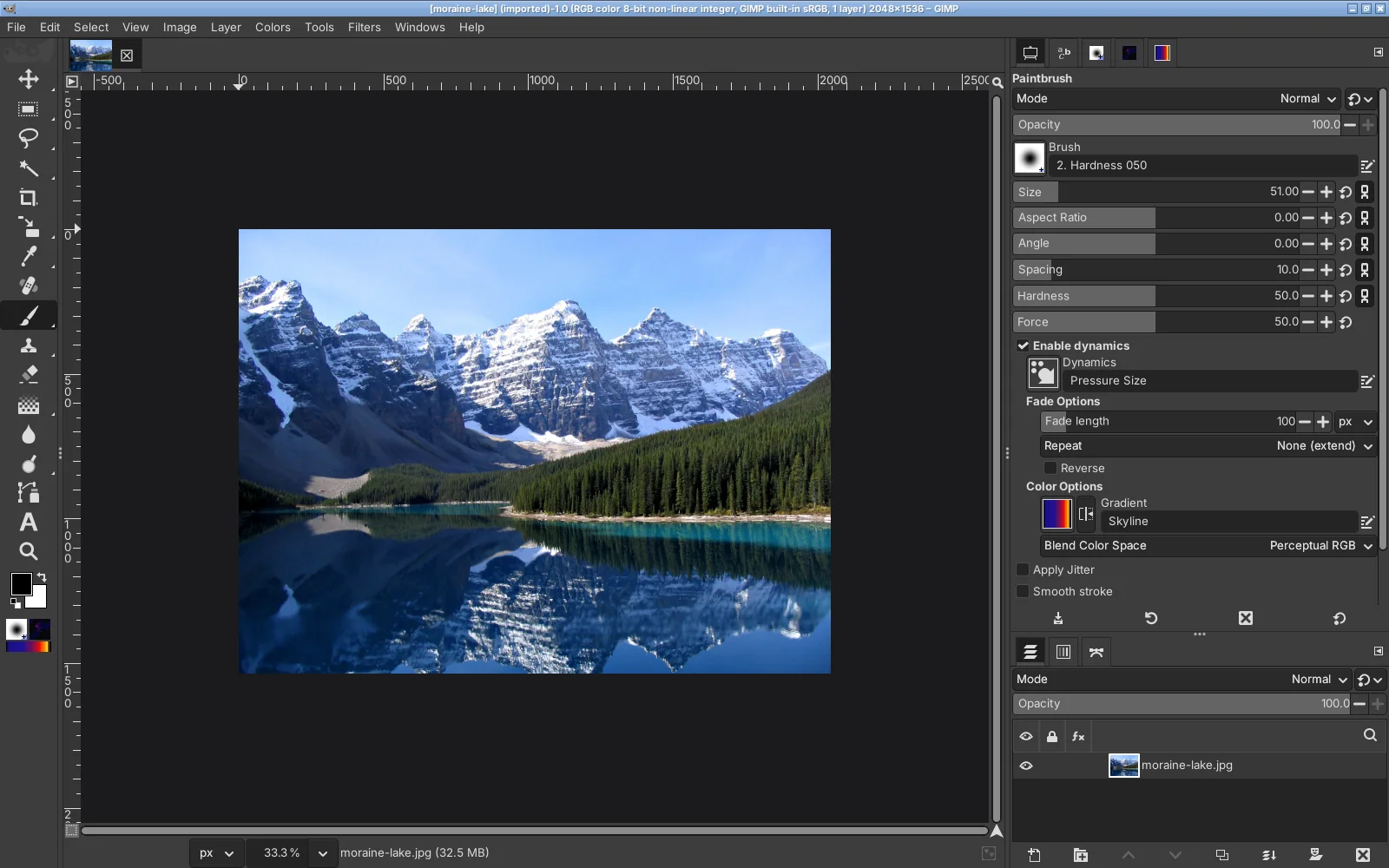
The catch: it works only once. If GIMP 3.2 has already created a 3.2 folder, it never looks at 3.0 again, and you need the fix below. To use this route on an existing install, rename the 3.2 folder (for example to 3.2-old) first; GIMP then treats the next start as its first.
Why you cannot fix it after the first start
When you quit GIMP, it saves the toolbox it actually used back to toolrc. After a first start with 3.1’s broken file, that is GIMP’s default toolbox. We compared file hashes after quitting: the toolrc in the 3.2 folder was byte-for-byte identical to stock GIMP’s on Linux, Windows 11 and Windows Server 2025. (On the Mac our test stopped GIMP without a normal quit, so GIMP had no chance to save.) PhotoGIMP’s tool order was gone from the disk.
Already started GIMP 3.2 once with PhotoGIMP?
Copytoolrc from the PhotoGIMP zip into the 3.2 folder again (replace it), then apply the fix, then start GIMP. Renaming the tool in the file GIMP rewrote does nothing, because that file no longer contains it.The fix
Close GIMP. Then either run the repair commands, or edit three files in a text editor.
By hand, in any text editor
Open your GIMP 3.2 settings folder (%APPDATA%\GIMP\3.2, ~/Library/Application Support/GIMP/3.2 or ~/.config/GIMP/3.2) and use the editor’s Replace (Ctrl+H in Notepad):
| File | Replace | With |
|---|---|---|
toolrc | "gimp-vector-tool" | "gimp-path-tool" |
sessionrc | "gimp-vectors-list" | "gimp-path-list" |
shortcutsrc | "tools-vector" | "tools-path" |
Each appears once. Save the files as plain text, keep the names exactly (no .txt), and start GIMP. On macOS, TextEdit must be in plain-text mode (Format → Make Plain Text); a code editor is easier.
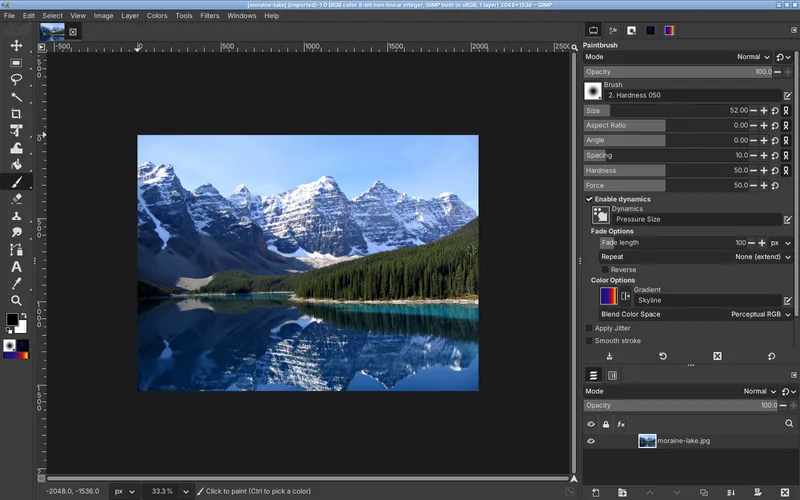
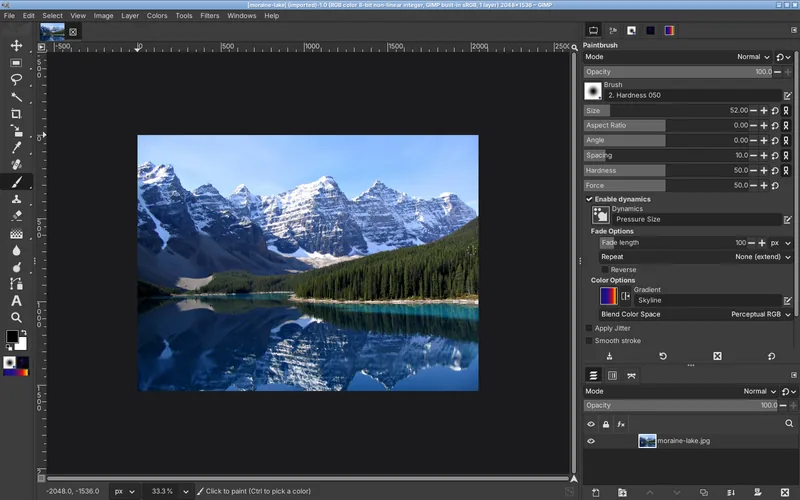
After the fix, GIMP printed no toolbox-related warnings on Linux and macOS (GIMP on Windows has no console), and the fixed toolrc was still byte for byte the same after normal quits and restarts on all four test systems.
Or use upstream master
PhotoGIMP’s master branch got GIMP 3.2 support on October 25, 2026 (pull request #246, “support GIMP 3.2 and improve macOS compatibility”). It lists both the old and new names, so it loads on GIMP 3.0 and 3.2, and its new install.sh asks GIMP for its settings folder instead of guessing. We installed master fc61a8f with the path finder’s command on Windows 11, Windows Server 2025 and macOS 15, and with its own install.sh on Linux: GIMP 3.2.6 loaded it without the toolbox error and kept its files after quitting. Note that master’s toolbox order is close to GIMP’s own, not 3.1’s Photoshop order.
Harmless messages remain on GIMP 3.2, because master keeps the old names for GIMP 3.0 (macOS and Linux console):
INFO: duplicate accelerator 'p' on 'tools-vector' and 'app.tools-path'.
INFO: not existing action 'tools-vector' was ignored from the shortcutsrc file.
Gimp-Widgets-WARNING: gimp_dialog_factory_dialog_new_internal: no entry registered for "gimp-vectors-list"
Master is not a release: it can change at any time and has no fixed file to verify against. If you prefer a release, use 3.1 with the fix above until the next release.
Other things that look broken on GIMP 3.2
| What you see | Why | What to do |
|---|---|---|
| Only the splash screen changed, or nothing changed | The files are in a 3.0 folder next to an existing 3.2. Once GIMP 3.2 has its own folder, it reads only 3.2. | Copy the contents of the zip’s 3.0 folder into 3.2. Why nothing changed |
| “You installed GIMP 3.2.6!” welcome screen after installing PhotoGIMP | PhotoGIMP’s gimprc says (config-version "3.0.0"), so GIMP treats the folder as coming from an older GIMP. | Close it. It usually shows once; untick “Show on Start” if it keeps coming back. |
| The PhotoGIMP launcher does nothing (Linux, Flatpak) | The launcher from the 3.0 release runs gimp-3.0, which the 3.2 Flatpak does not have: bwrap: execvp gimp-3.0: No such file or directory (reported in issue #200; the 3.1 launcher is already fixed). | Use the 3.1 launcher, or change --command=gimp-3.0 to --command=gimp. Linux guide |
| B sometimes picks the Paths tool | The tools-vector rename above. | The fix on this page. |
| Preferences or other dialogs open off-screen | PhotoGIMP’s sessionrc saves window positions from a large multi-monitor setup. | Move or resize the window, then quit GIMP normally so it saves the new size. Both fixes |
What GIMP 3.2 brings for Photoshop users
GIMP 3.2.0 was released on 14 March 2026 (gimp.org’s version list); 3.2.6 followed on September 10, 2026. These are the changes that matter most if you come from Photoshop, from the official release notes:
- Link layers: place an external image as a layer that you can scale and rotate without losing quality, and that updates when the file changes. The closest GIMP has come to linked smart objects.
- Vector layers: the Path tool can create a layer with its own fill and stroke, like a shape layer.
- More PSD layer styles imported when you open Photoshop files.
- Text editing: Ctrl+B and Ctrl+I for bold and italic, and paste without formatting.
- Shift+X switches between your last two tools, and, as in GIMP 3.0, / opens the action search, where you can type any menu command.
- SVG export, more PDF export options, and a CMYK selector that shows total ink coverage.
None of these depend on PhotoGIMP. They work the same with or without it.
Questions
Is there a PhotoGIMP 3.2 release?
Should I just rename the 3.0 folder to 3.2?
3.0 and let GIMP migrate it. Otherwise copy its contents into the existing 3.2 folder and apply the fix.Will the fix break GIMP 3.0?
Does PhotoGIMP work with GIMP 3.2.4 and 3.2.6?
Why does the README not mention this?
Keep going
Found something wrong or out of date? Tell us: hello@photogimp.org. We fix mistakes within a day.