Linux
Can Photoshop run on Linux?
Not natively. Adobe makes desktop Photoshop for Windows and macOS only, and there is no Linux version on any of its plans. There are three workarounds, each with a catch, and one native setup we tested ourselves: GIMP with Photoshop’s shortcuts.
On this page 6 sections
Short answer
Your options
| Option | Works? | The catch |
|---|---|---|
| GIMP 3.2.6 + PhotoGIMP | Yes, tested by us | It is GIMP, not Photoshop: no AI or content-aware tools |
| Windows in a virtual machine | Yes, with limits | Needs a Windows license and plenty of memory; graphics acceleration in a virtual machine is often limited |
| Wine | Varies | Community reports differ by Photoshop and Wine version; not tested by us |
| Photoshop on the web | Check Adobe | A reduced Photoshop in the browser; we could not confirm Linux support |
| Photopea in the browser | Yes | Photoshop-like, not Photoshop; best for PSD files and quick edits |
The setup we tested: GIMP with Photoshop’s keys
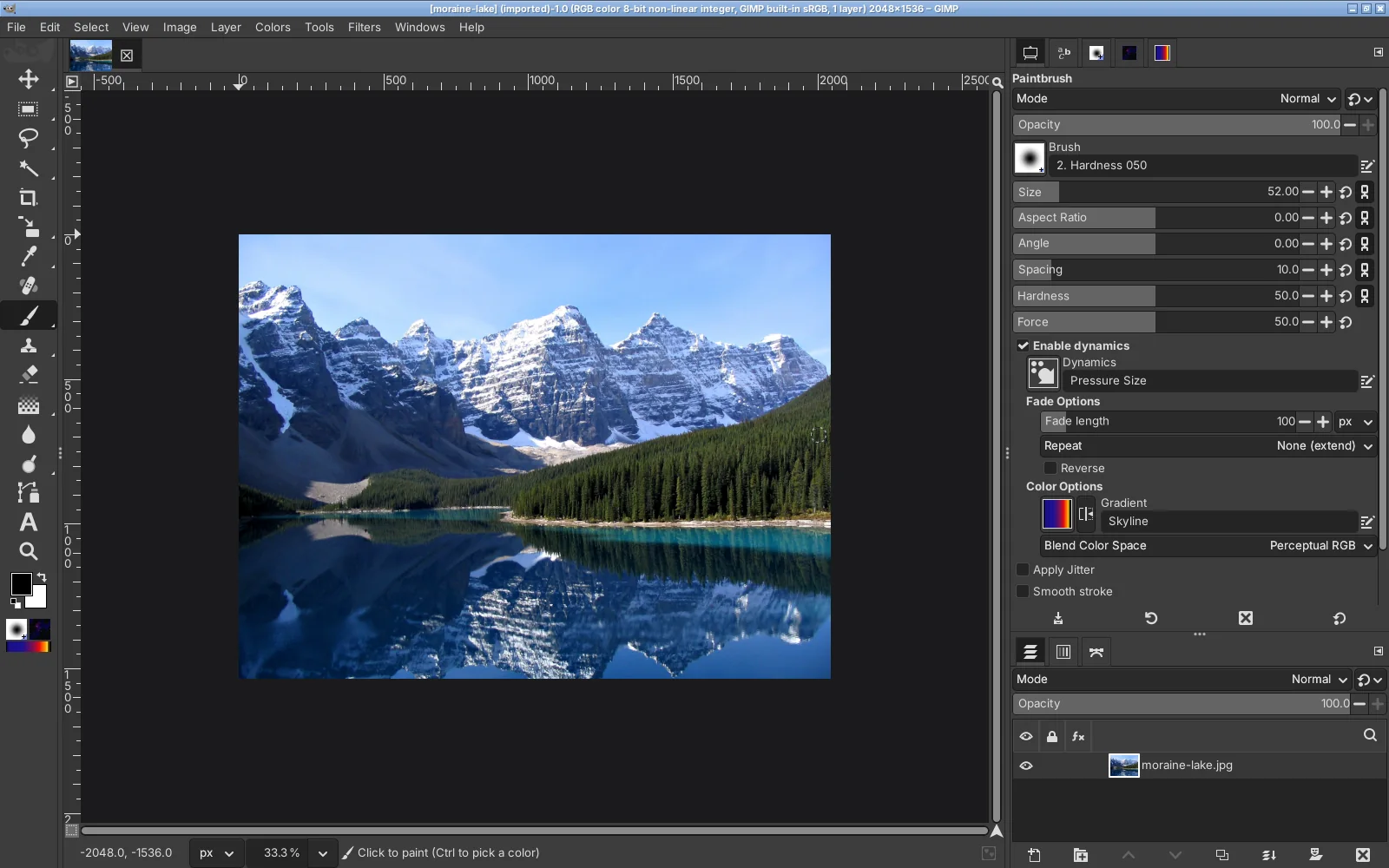
On Linux, the most practical answer is GIMP 3.2.6 with PhotoGIMP. GIMP 3 is in the major distributions and on Flathub; PhotoGIMP moves its tools into Photoshop’s order and gives 23 commands Photoshop’s shortcuts. We ran it on Ubuntu with GIMP 3.2.6 and pressed the keys with real key events: V picked the Move tool, Ctrl+J duplicated the layer, Ctrl+D removed the selection.
Install GIMP 3
From Flathub (flatpak install flathub org.gimp.GIMP), your software center, or the AppImage from gimp.org. Check that it is GIMP 3, not 2.10.Start GIMP once and close it
That creates~/.config/GIMP/3.2, which the Flathub version also uses.Install PhotoGIMP
Use the Linux command from our Linux guide. It checks the download, makes a backup and applies the GIMP 3.2 fix.
Where GIMP falls short of Photoshop, and what to use for each gap, is in the Photoshop to GIMP map.
Photoshop in a Windows virtual machine
A virtual machine (VirtualBox, GNOME Boxes, virt-manager) runs a full copy of Windows, and Photoshop installs there like on any PC. The costs: a Windows license, enough memory for two systems at once, and graphics acceleration that is often limited inside a virtual machine, so features that use the graphics card may be slow or unavailable. Some setups pass a second graphics card through to the virtual machine, which needs suitable hardware. We did not test Photoshop in a virtual machine.
Photoshop with Wine
Wine runs many Windows programs on Linux without Windows. With Photoshop, community reports differ a lot between Photoshop versions and Wine versions, and Adobe updates can change the picture. If you try, read the latest reports for your exact version on WineHQ’s application database first, and keep your files backed up. We did not test Photoshop under Wine.
Photoshop in the browser
Adobe offers Photoshop on the web as part of some plans. It runs in the browser, so in principle the operating system matters less. We could not confirm from Adobe whether it supports browsers on Linux; check Adobe’s system requirements before you pay for a plan for this reason. Photopea, a free browser editor modeled on Photoshop, works in any modern browser on Linux and opens and saves PSD files.
Other Linux editors
- Krita: painting and illustration, on Linux as an AppImage.
- darktable: raw photos and a photo library, the Lightroom part of Adobe’s photo plan. GIMP opens raw files through it.
- Pinta: quick simple edits.
Affinity, the other popular free alternative, has no Linux version. All free alternatives compared.
Questions
Does Photoshop work on Linux?
Can I install Photoshop on Ubuntu or Linux Mint?
Does Photoshop CS6 run on Linux with Wine?
Will Adobe release Photoshop for Linux?
What is the closest thing to Photoshop on Linux?
Keep going
Found something wrong or out of date? Tell us: hello@photogimp.org. We fix mistakes within a day.